



Product Registration
Register at My Qeridoo
Don't have an account yet? It only takes 2 minutes.
Enter serial number
Enter the serial number of your Qeridoo to link it to your account.
Upload invoice
Upload your purchase invoice for verification.
Already have an account?
Hit the button below and log in to your account
Not registered yet?
Create your account now and unlock a wide range of benefits
Where can I find the serial number?
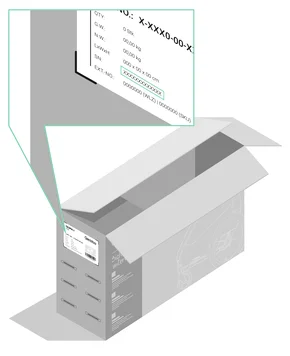
Packaging
You can find the serial number on a sticker (product label) on the outer box of your Qeridoo. It is usually located on the smaller side of the box and also includes a small product image and further product details.
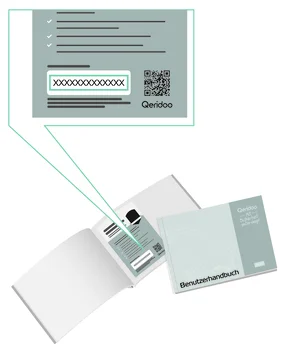
Warranty Card
Every Qeridoo child sports stroller comes with a warranty card that contains warranty information and the serial number. If you can't find the card, just check the manual.
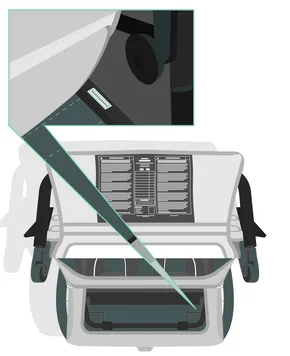
Frame / Body
The serial number is also attached to the frame of your product. For the child bike trailer, look for it on the frame bars in the trunk area. The position may vary depending on the model.
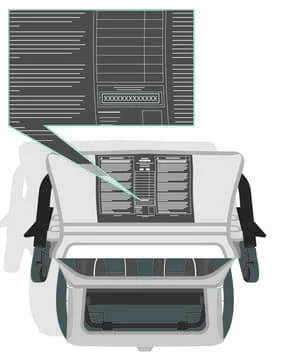
Warning Label
All our main products have warning labels attached. On your child sports stroller, you'll usually find it on the inside of the trunk flap. The serial number is also printed at the bottom center.